Comic
Fay's Diary Comic
Kanji Transformer Series
Our Android Apps
Paper Toy
Animation
Dharma Cartoon
Figure Photo Collection
Flash Game
Old Work
Game & Software
About Us
Links
Ataya's Embedded Systems Blog
Green Tea Story
Green Tea Story
Play with BeagleBoneBlack
Studio Wallpaper & Sticker
Studio Wallpaper
Studio Wallpaper
The Sky Flower & The Temple Dog
Date : Tuesday,5 September 2023
Writer : Ataya P
REPOST: I just found the way to use Serial Plotter function in Arduino IDE to plotting the graph of your sensing values. Let's see ...
Detail
1. First, Open Arduino IDE and make new sketch. Write down the code to send 2 values of sensor to serial terminal (I using Arduino IDE version 1.8.5)

2. The important part of the code will be like this ...
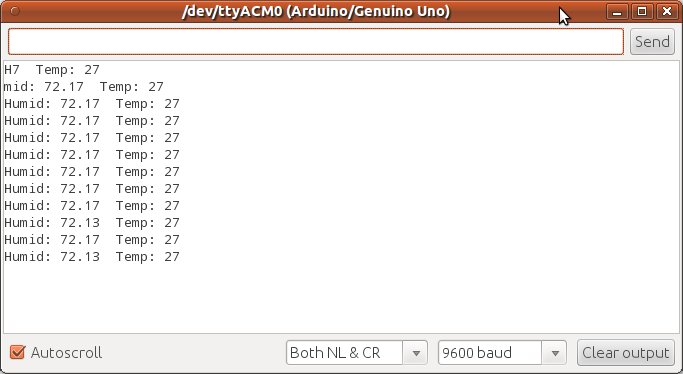
4. Then open Tool -> Serial Plotter you will see the graph as shown below ...

5. See the working of using Serial Plotter in Arduio IDE video here ->
Writer : Ataya P
REPOST: I just found the way to use Serial Plotter function in Arduino IDE to plotting the graph of your sensing values. Let's see ...
1. First, Open Arduino IDE and make new sketch. Write down the code to send 2 values of sensor to serial terminal (I using Arduino IDE version 1.8.5)
//Ploting graph on Arduino IDE serial plotter
Serial.print("Humid: ");
Serial.print(rh);
Serial.print(" ");
Serial.print("Temp: ");
Serial.print(tempValue);
Serial.print(" ");
Serial.println("");
delay(1000);

Custom Search
 English
 日本語
日本語 ภาษาไทย